NetForge-AI
Networking CourseGuidedLessonsCommunityFeaturesProtocolsPricingPrivacyTerms
Sign inStart free
NetForge-AI
Networking CourseGuidedLessonsCommunityFeaturesProtocolsPricingPrivacyTerms
Sign inStart free
Community

Meet Classroom: teach networking on one live, shared lab

NetForge · posted Oct 9, 2026 · 2 views

Hi everyone, the NetForge-AI team here.

Teaching networking, or interviewing someone for a network role? Meet Classroom.

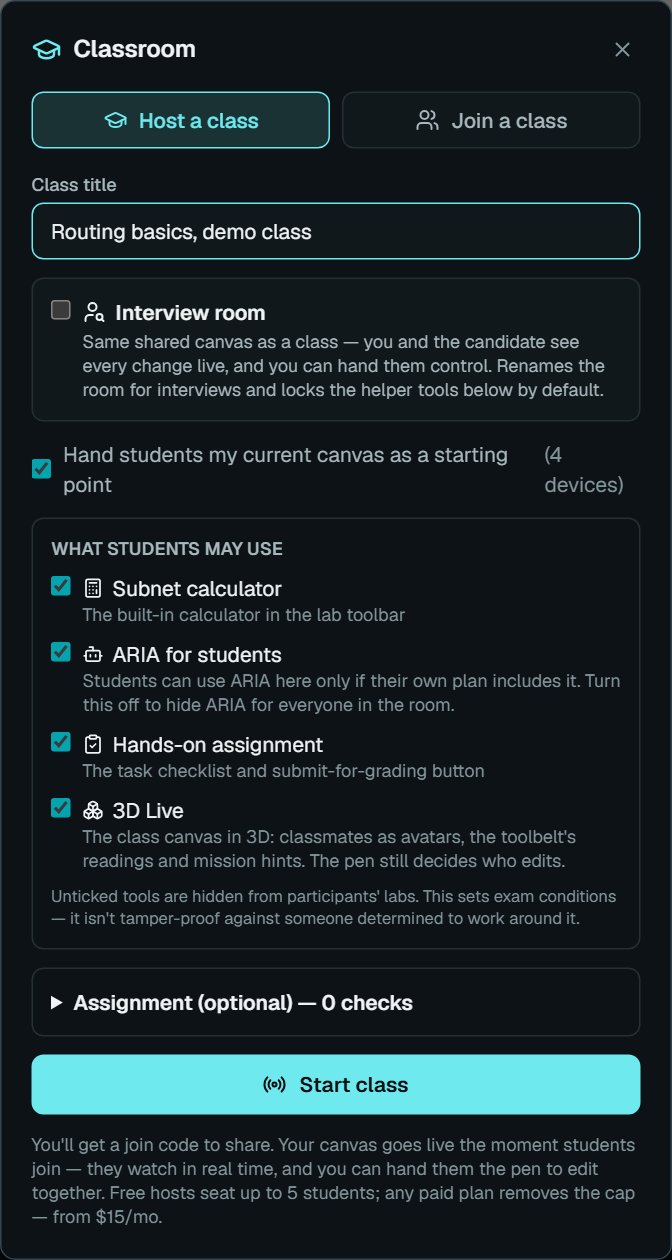
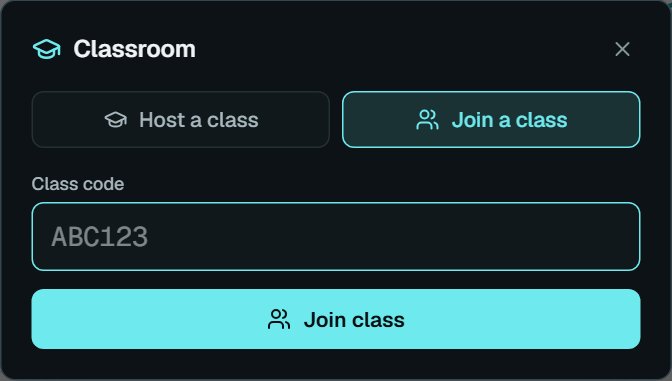
Open the lab, press Classroom and start a class. You get a short join code: students sign in with a free account, enter it, and land on your canvas. Every device you drag in, every cable and every CLI command appears on their screens live, and you can pass the pen so a student builds while the room watches.

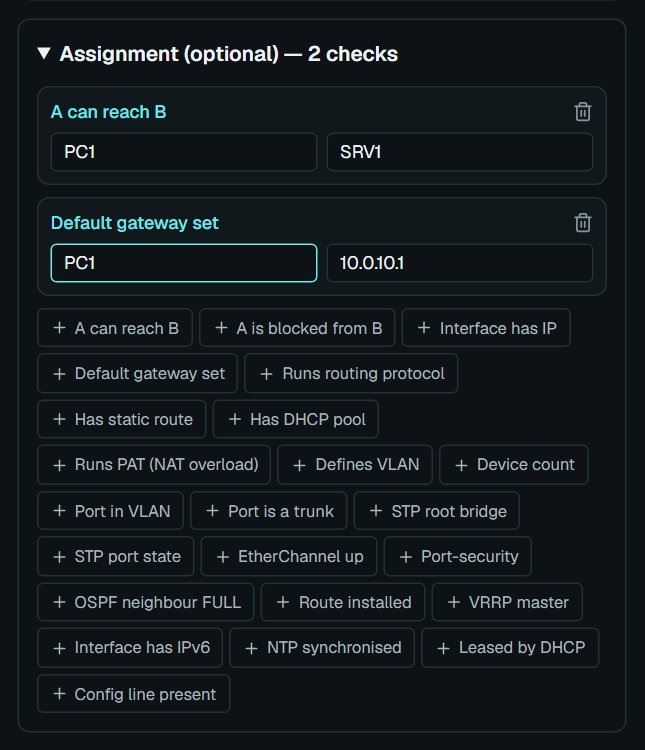
Add an assignment with checks such as "PC1 can reach SRV1", and the grader tests each submission against the live network. A class chat, private messages and file sharing keep questions next to the lab.

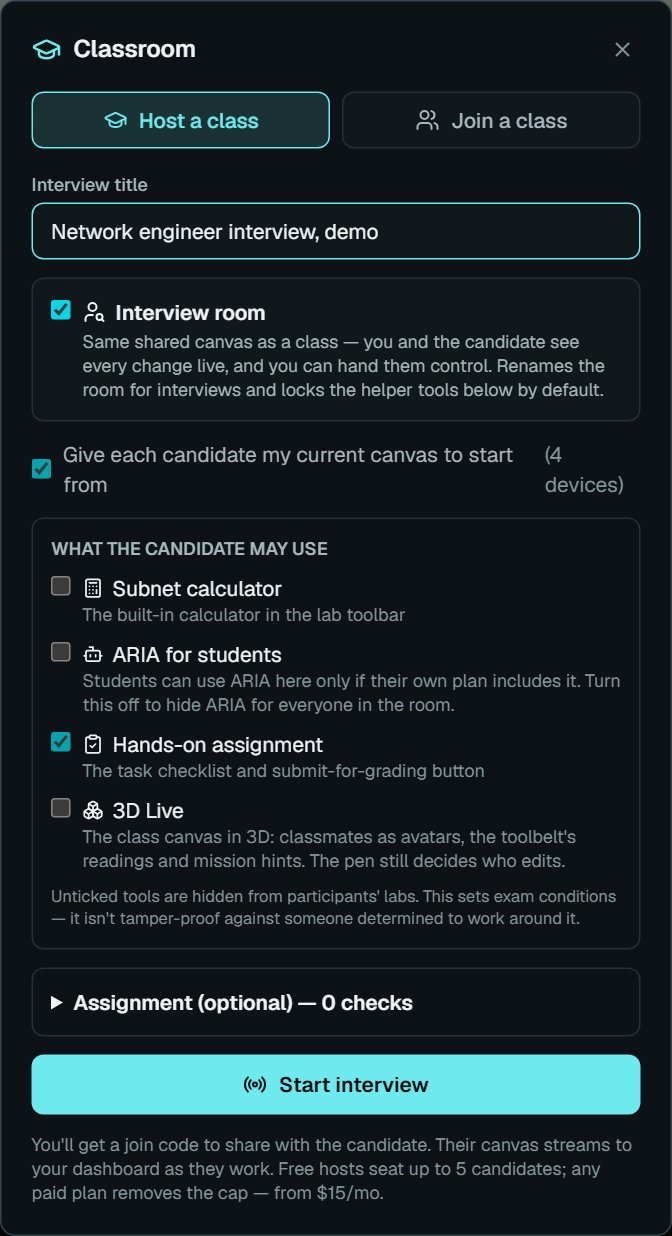
Tick Interview room for a one-to-one session, with the helper tools hidden by default.

A free account hosts up to 5 students; paid plans remove the cap. Start a class at netforge-ai.com/teachers
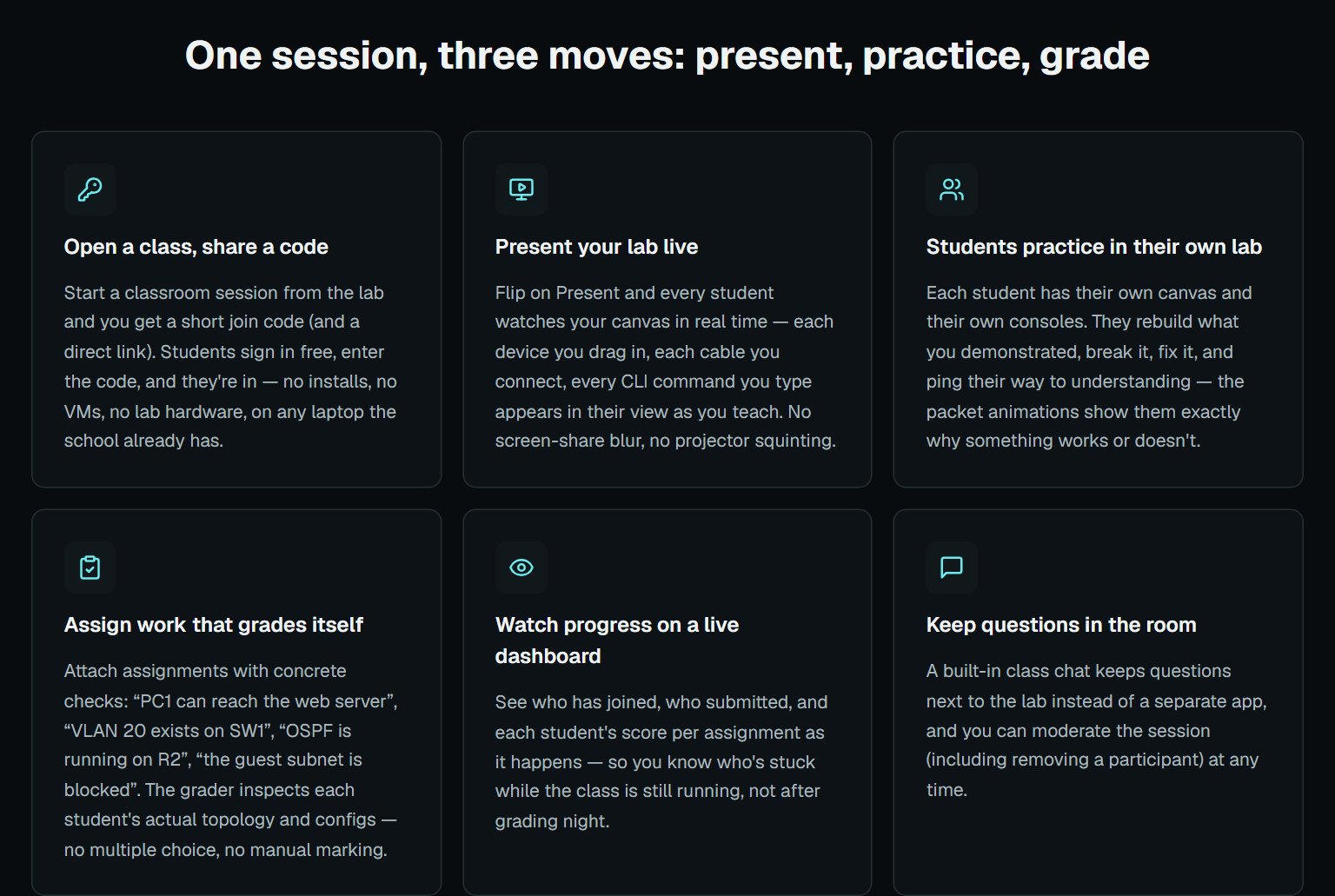
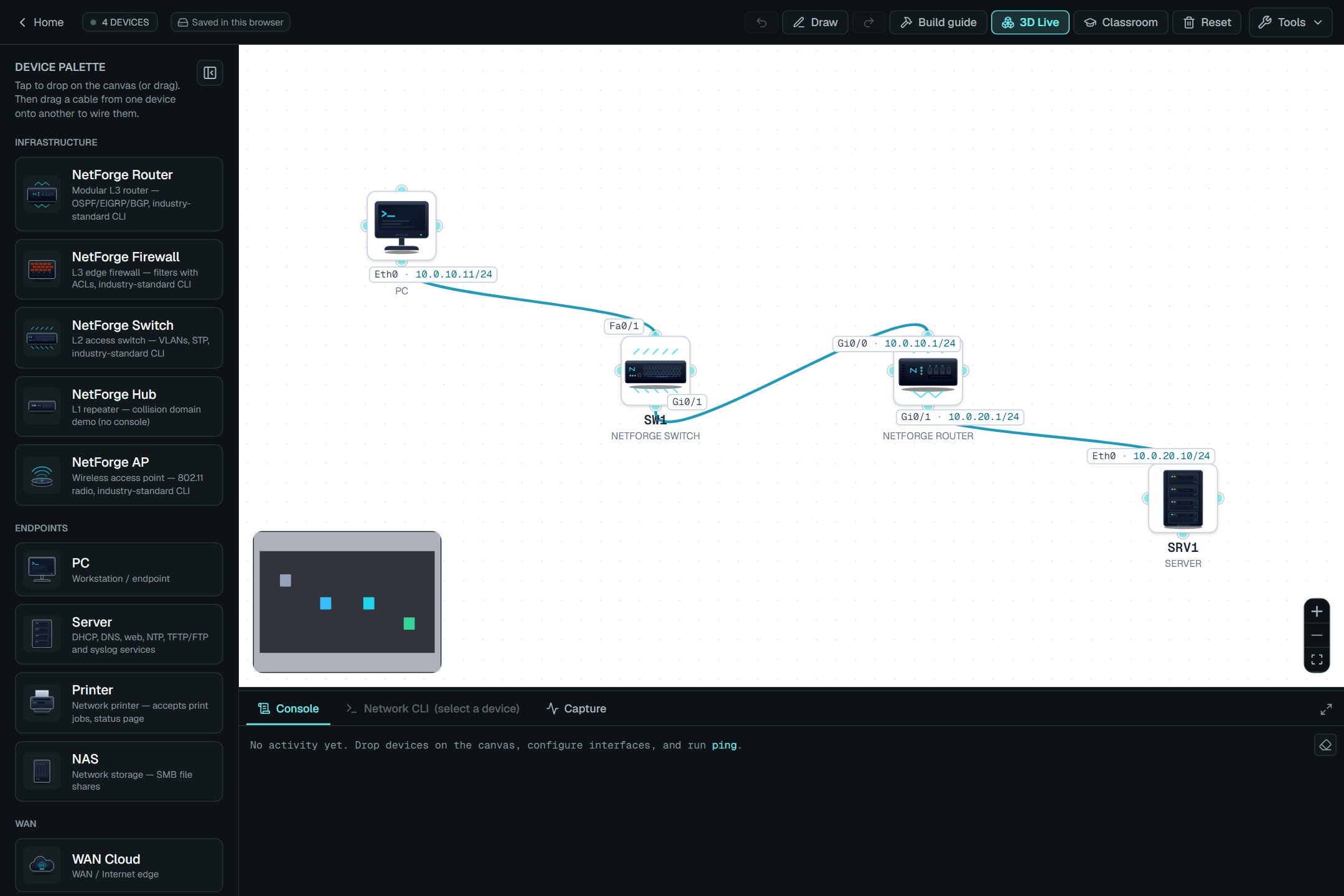
NetForge Classroom: open a class, share a code, present live, assign work that grades itself, watch progress, keep questions in the room The lab with a small demo network (PC, switch, router, server) and the Classroom button in the toolbar Hosting a class: a title, the current canvas as the students' starting point, and which tools students may use Interview room ticked: the subnet calculator, ARIA and 3D Live are off for the candidate by default An auto-graded assignment: PC1 can reach SRV1, and PC1 has its default gateway set, with every other check type listed below Joining a class: the student types the class code

classroomteaching

0 Answers

Your answer

Posting questions and answers is included with every paid plan, from $15/mo. On the Free plan you can read, like, comment, connect and message. Compare plans →
NetForge-AI

A browser-native network lab and networking course, beginner to advanced. Free account opens Module 1 + a 5-device lab; the Course & Lab Pass or All-Access Max opens the full course.

Product

  • Lab
  • 3D Live
  • Networking Course
  • Lessons
  • Guided Builds
  • Network Challenges
  • For Teachers
  • Community
  • Features

Course modules

  • 1 · Fundamentals
  • 2 · Addressing
  • 3 · Access (L2)
  • 4 · Connectivity
  • Final Weighted Exam

Resources

  • Command Reference
  • Free Networking Tools
lab
  • Subnet Calculator
  • MAC Address Lookup
  • Port Number Lookup
  • OSI Model Chart
  • Simulator Comparisons
  • FAQ
  • About
  • Contact
  • Privacy Policy
  • Terms of Service
  • NetForge-AI is an independent educational platform and is not affiliated with, endorsed by, or sponsored by any networking vendor or certification body. All product names, protocols, and standards referenced are the property of their respective owners and are used for descriptive, educational purposes only.

    © 2026 NetForge-AI. All rights reserved.Built for networking learners worldwide.